A test builder for Latin teachers

Macrons your way.
Grading done for you.

On any vowel, ignore, require, or forbid a student macron. Give objective partial credit depending on how many letters off any answer is. Save time with automatic grading, or grade any item you want by hand.

See what it does

Taking a test?

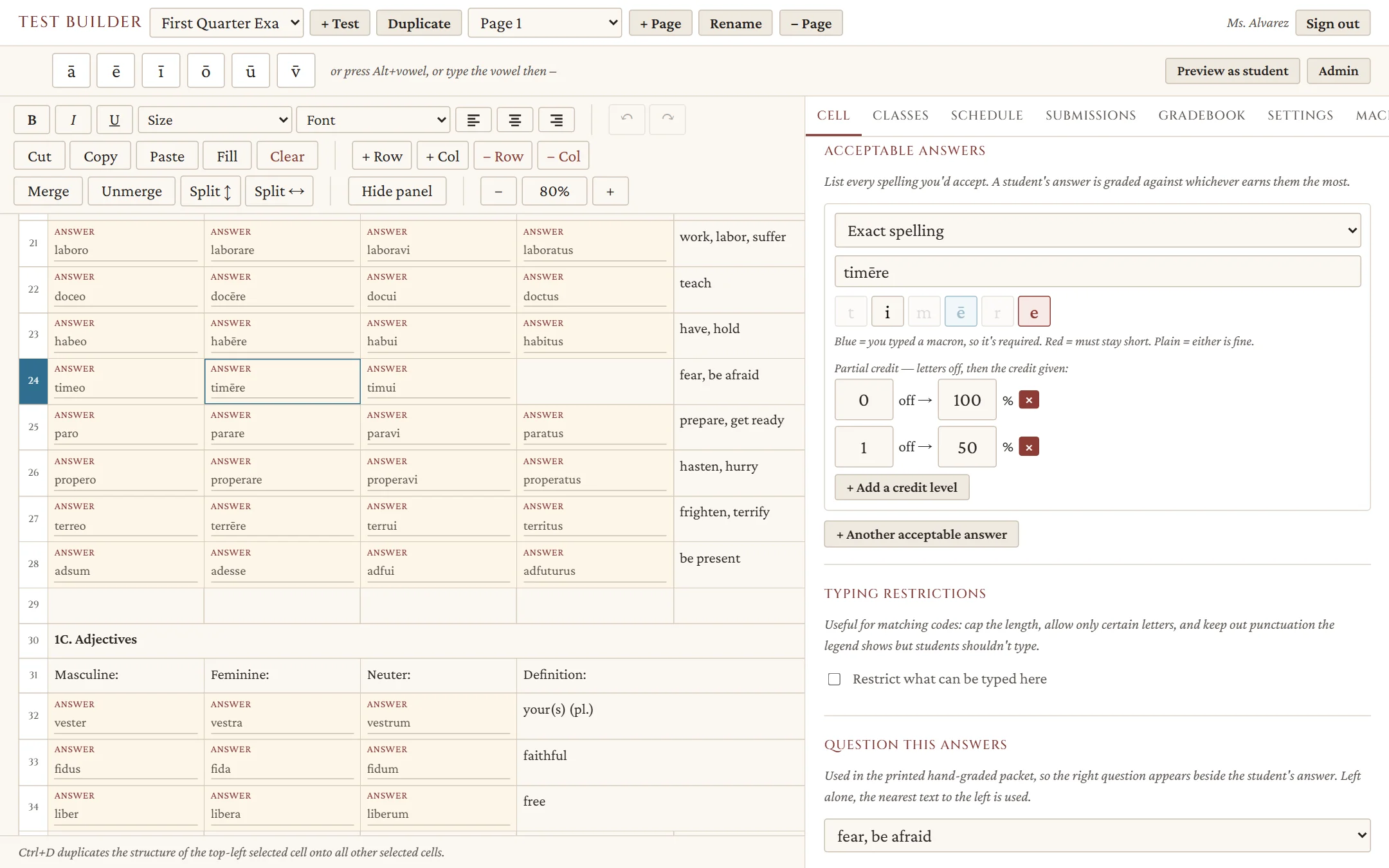
The builder's answer key for the verb form timēre: each letter is a tile, with the i left plain (a macron is ignored), the first e shaded blue (a macron is required), and the last e shaded red (a macron is forbidden).
In timēre: the i is ignored, the first ē is required, and the last e is forbidden.

Macrons

Macrons, handled your way

In each answer key you decide, vowel by vowel: ignore a macron, require it, or forbid it. A macron you type is required, one you mark as short is forbidden, and every other vowel is ignored — accepted with or without. Students type long vowels with on-screen keys, Alt plus a vowel, or a vowel followed by a hyphen.

  • A missing macron is one letter off, so partial credit applies
  • Type u or v, i or j — grade them the same or differently, test by test
  • Typing rules and grading rules are separate, so you can be strict in one and forgiving in the other
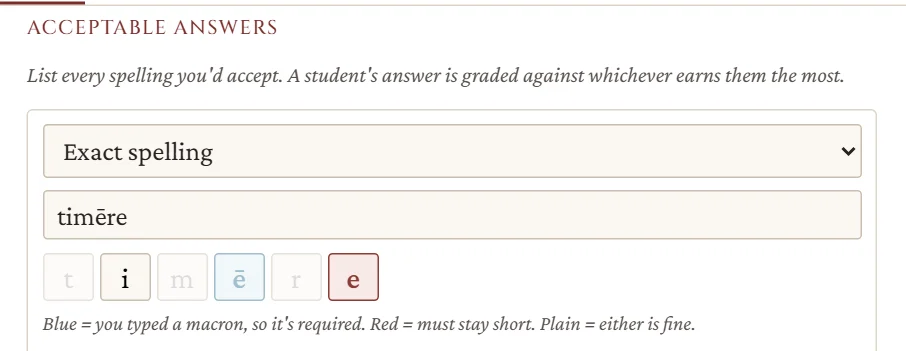
An answer key for the verb form timēre: each letter is a small tile, with the first e shaded blue (required), the last e shaded red (forbidden), and the i plain (ignored), above a legend explaining the colors.

Partial credit

Decide what one letter off is worth

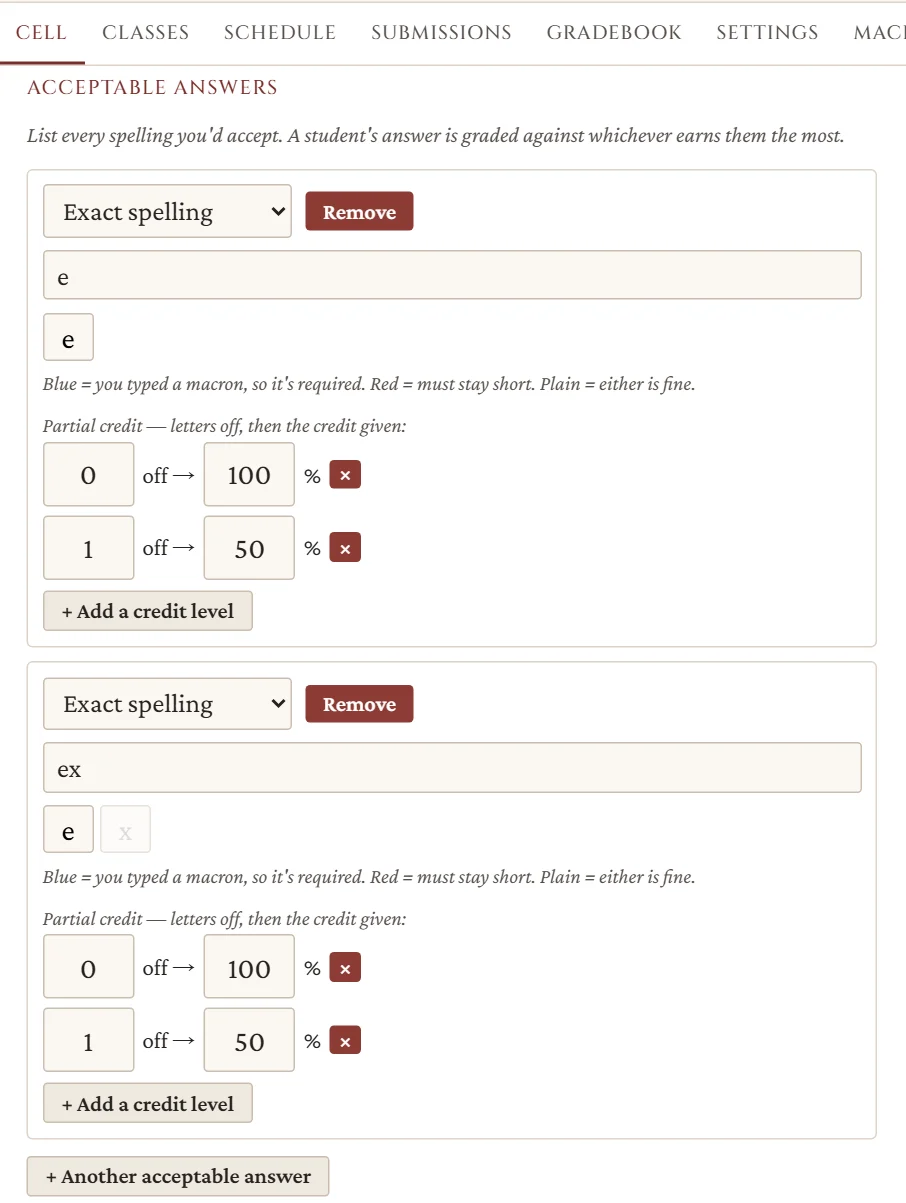
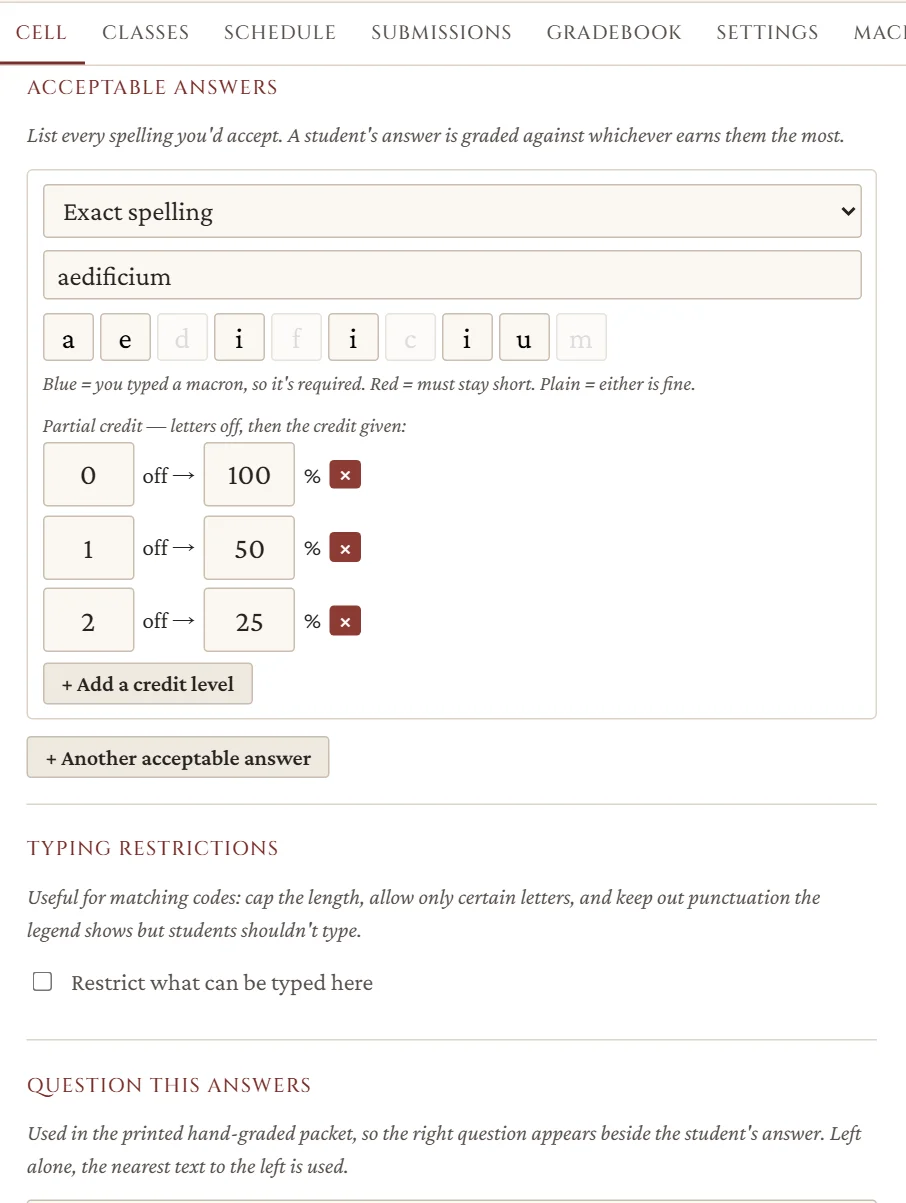
Each answer has its own credit scale — full marks for an exact match, half for a letter off, or whatever you choose. List every spelling you’d accept, and each student is graded against whichever earns them the most.

  • Any-order answers: “subject” and “predicate nominative” in either blank, each counted once
  • Exact spelling, all-or-nothing codes, or keyword matching
  • Change a key later and regrade — preview which papers would move first
The answer aedificium with a three-level credit scale: zero letters off earns 100 percent, one letter off earns 50 percent, and two letters off earn 25 percent.

Automatic grading

Graded the moment they submit

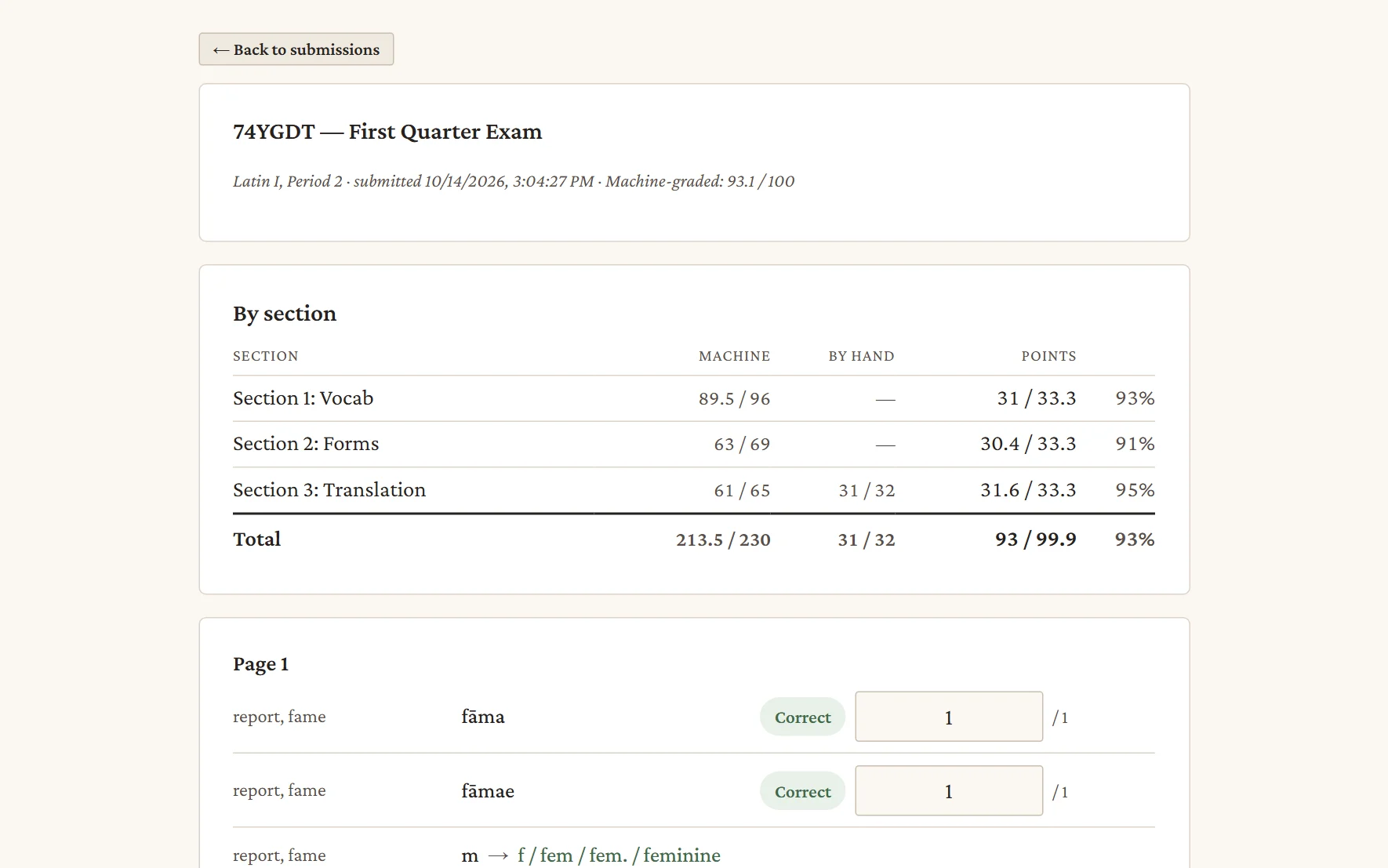
Typed answers are marked as soon as a student submits, so there’s no stack to carry home. You get section totals up top and every answer beside the key.

  • Give a point back with one click
  • Late submissions are flagged, not hidden
  • Anything you adjust by hand is kept when you regrade
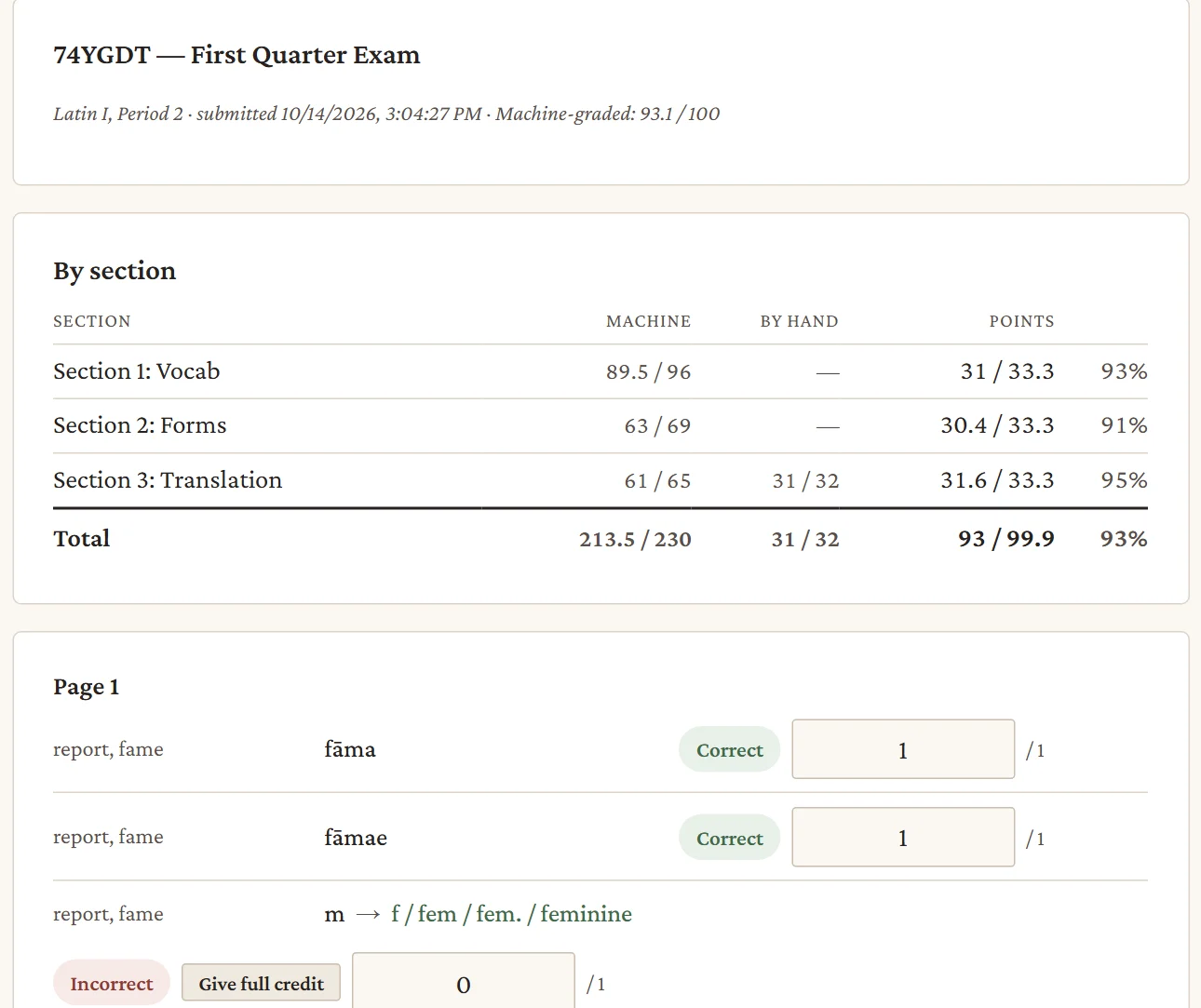
One student's graded paper: a by-section score table, then the first answers with a partial-credit mark and a Give full credit button.

Hand grading

Keep the answers you’d rather read yourself

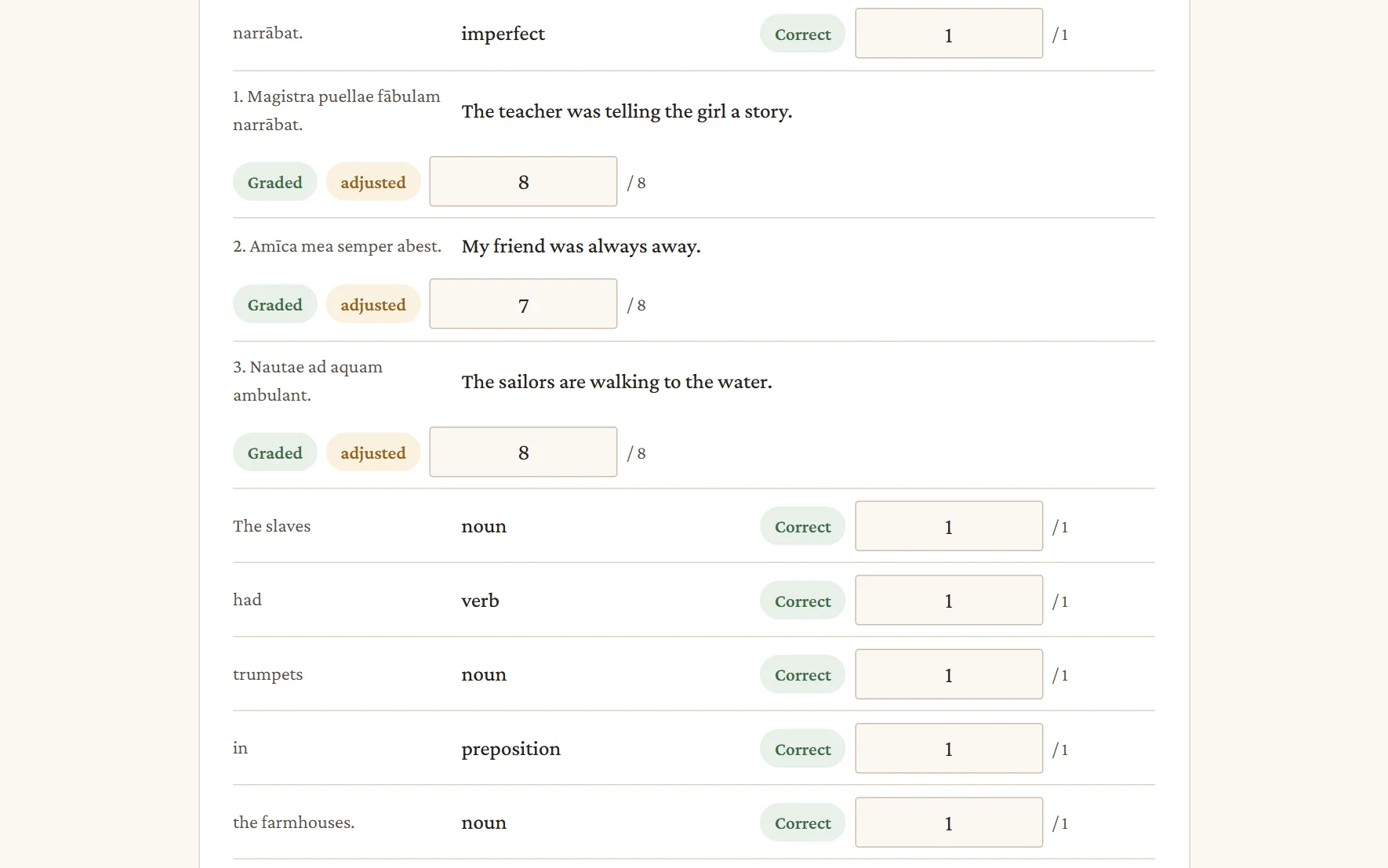
Sentences and translations can sit right beside the auto-graded blanks. They’re set aside for you to mark, and they count toward the totals as soon as you do.

  • Papers show how many answers are still waiting for you
  • A printable packet of every hand-graded answer, one student per sheet
  • A marked copy of each paper, laid out like the test they took
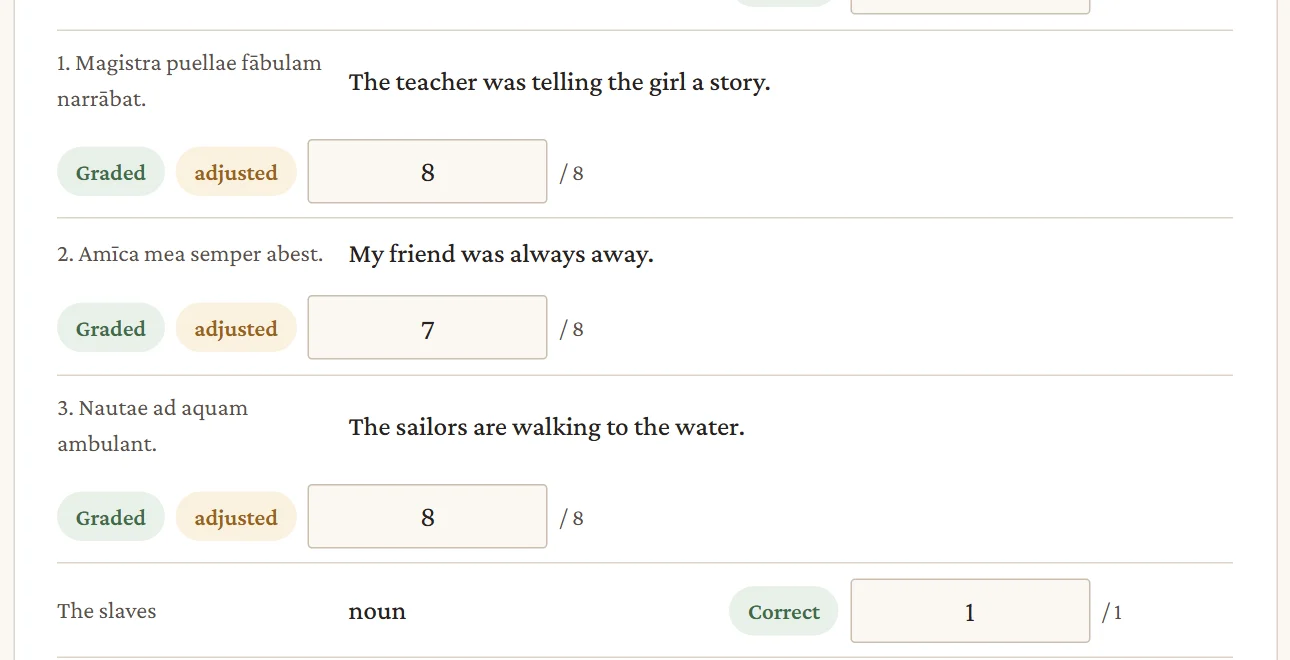
Three translated sentences from one paper, each showing the student's answer and a mark entered by the teacher.

Learn

See what the whole class missed

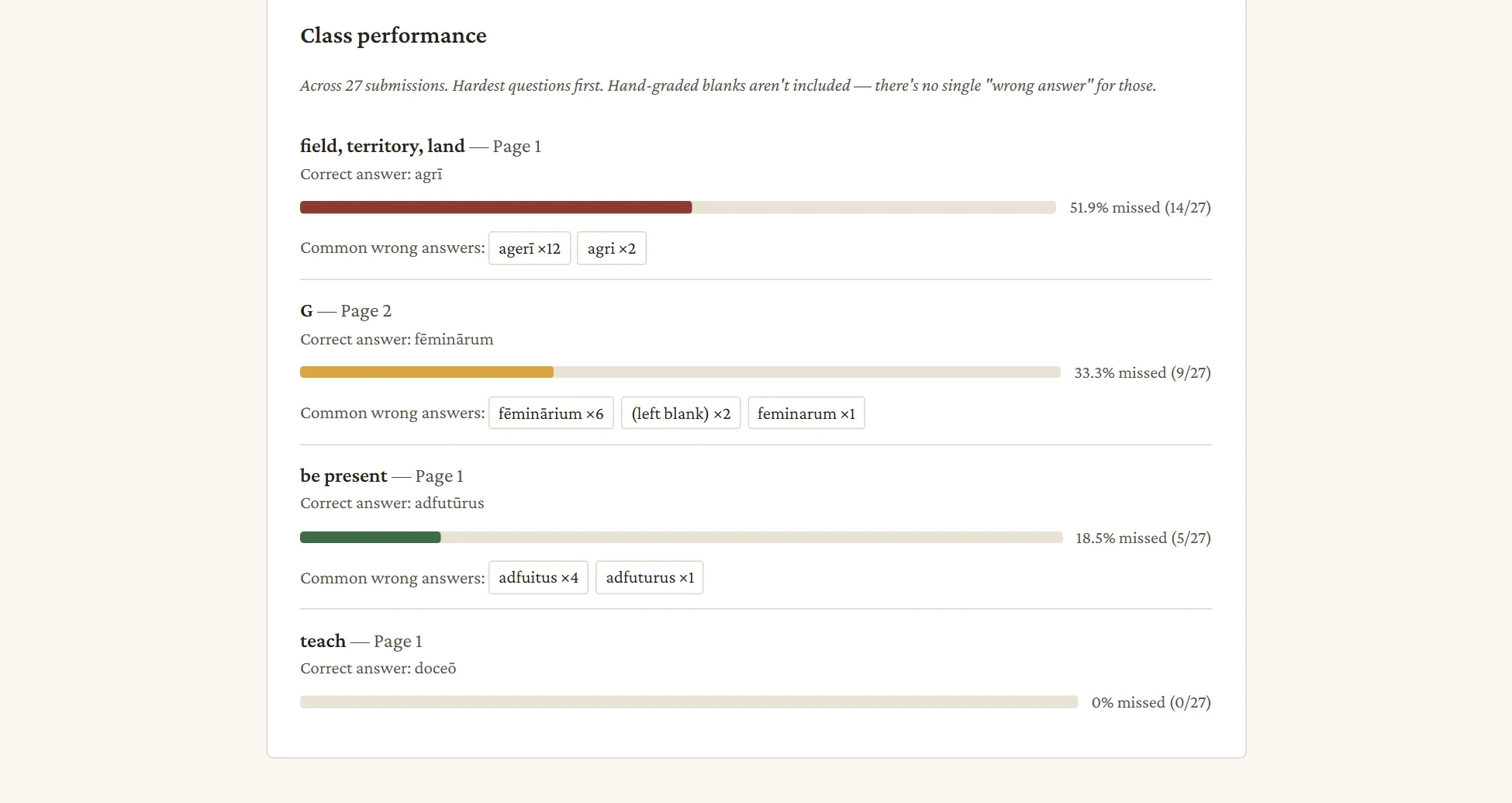
Questions are ranked hardest first, with the wrong answers students actually gave. Look at one class at a time, or every class that took the test.

  • Common wrong answers, with counts
  • Fix a key, preview which papers would change, then regrade
  • Check a test for blanks that can’t be graded before you give it
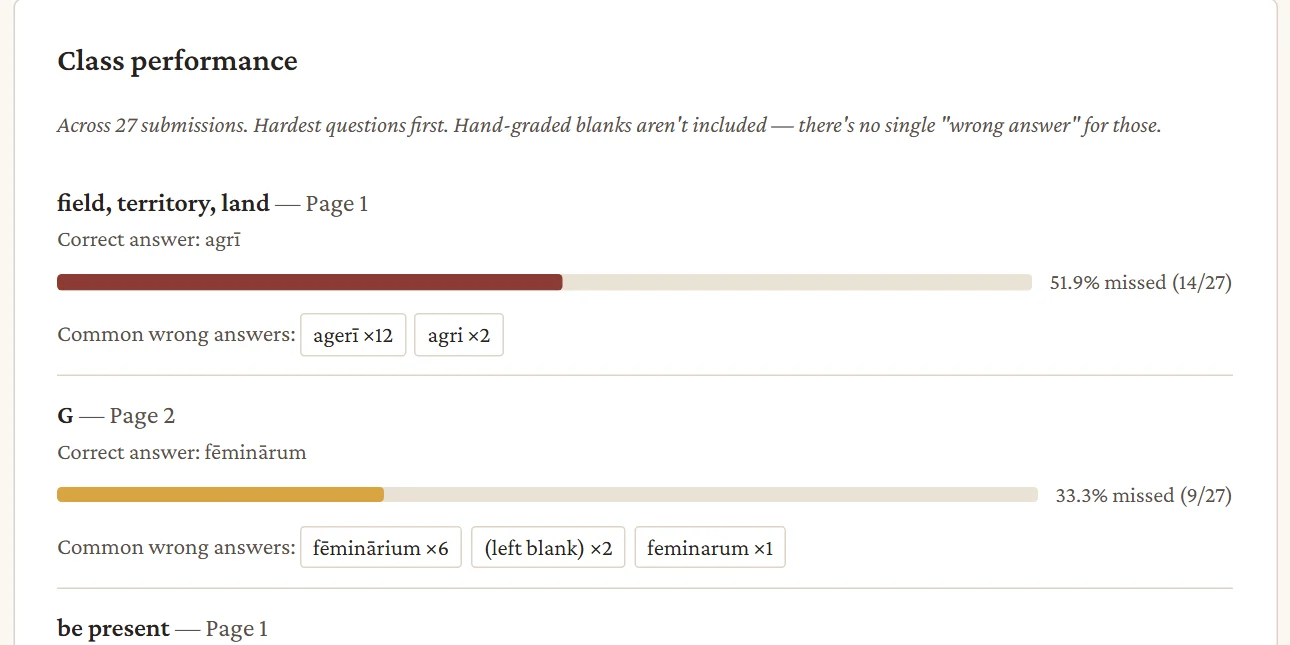
Class performance: questions ranked hardest first, each with a miss-rate bar and the most common wrong answers.

Build

Lay out a test the way it looks on paper

Each page is a grid. Merge and split cells to make declension charts, parsing tables, and matching blocks, then mark any cell as a blank and type its answer right where it sits. What you arrange is what students see.

  • Merge, split, fill, copy, and paste — answer keys travel with the cells
  • Undo and redo, zoom the sheet, and preview it as a student
  • Score sections equally, or give every blank the same weight
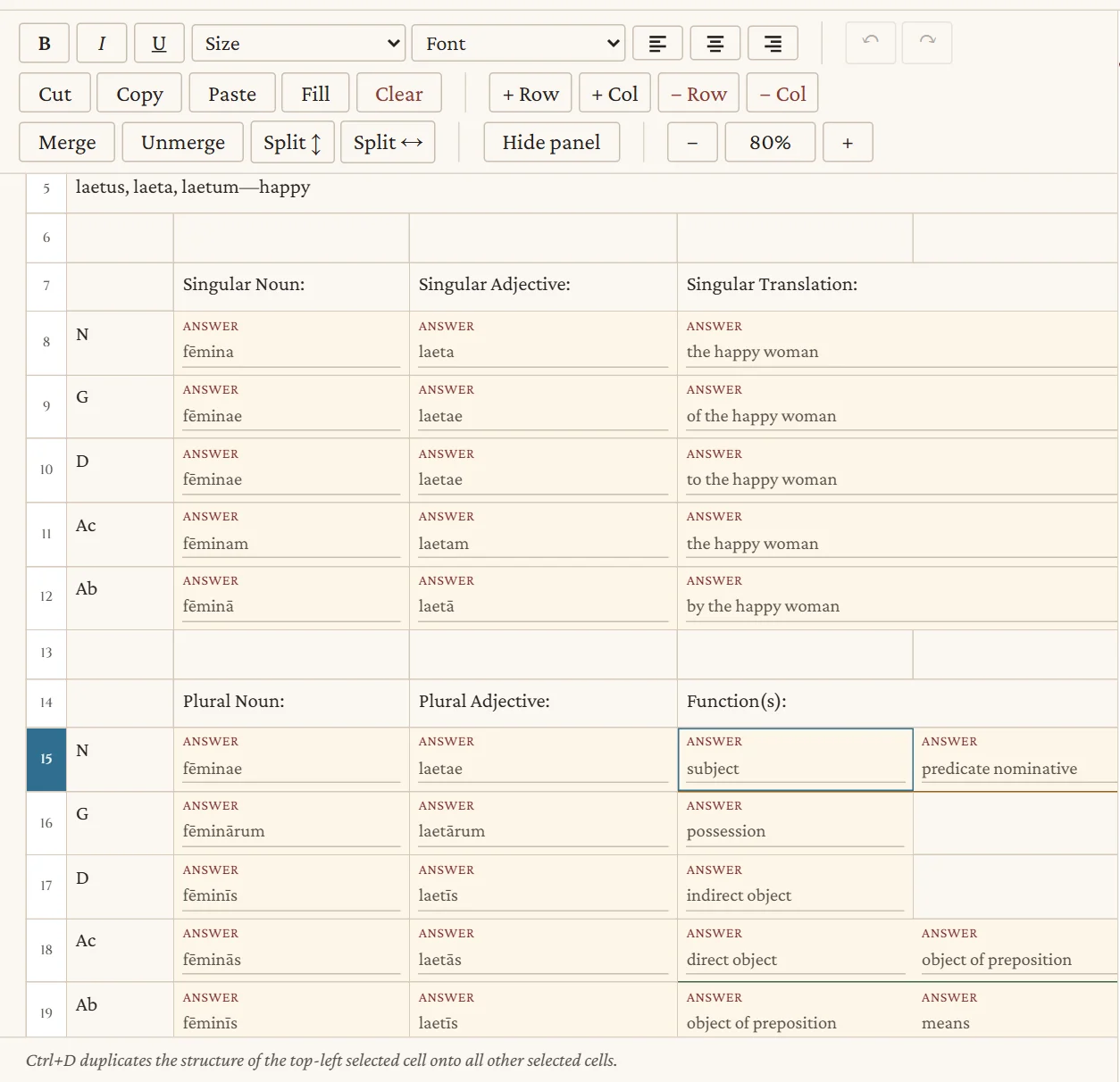
A noun-and-adjective chart in the builder: each blank shows its answer, and the two function blanks in the selected row are outlined together.
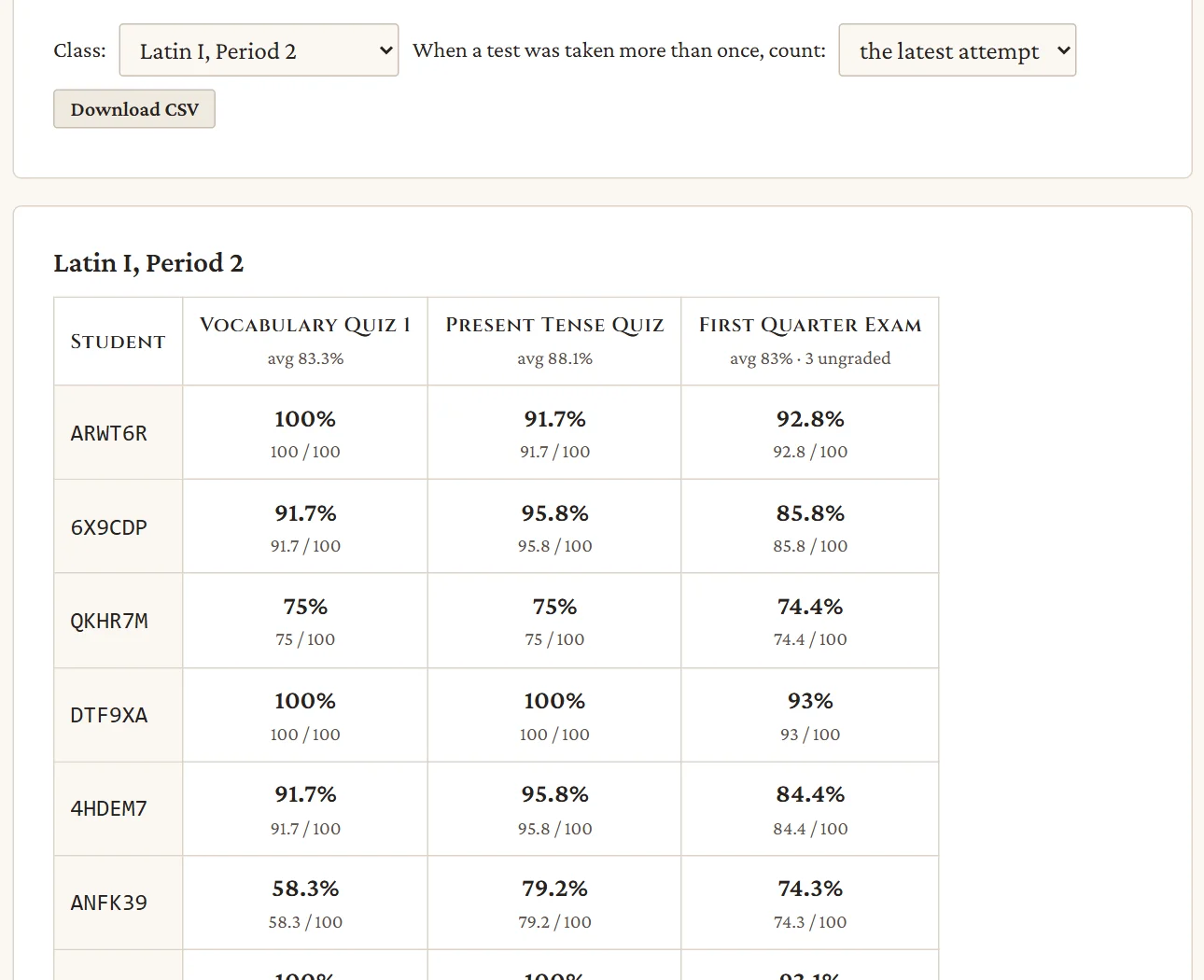
A class gradebook: students down the side, tests across the top, with averages and a count of papers still to grade.

Gradebook

Every test, every class, one grid

See each student across all their tests, count the latest attempt or the best one, and download a CSV for your school gradebook.

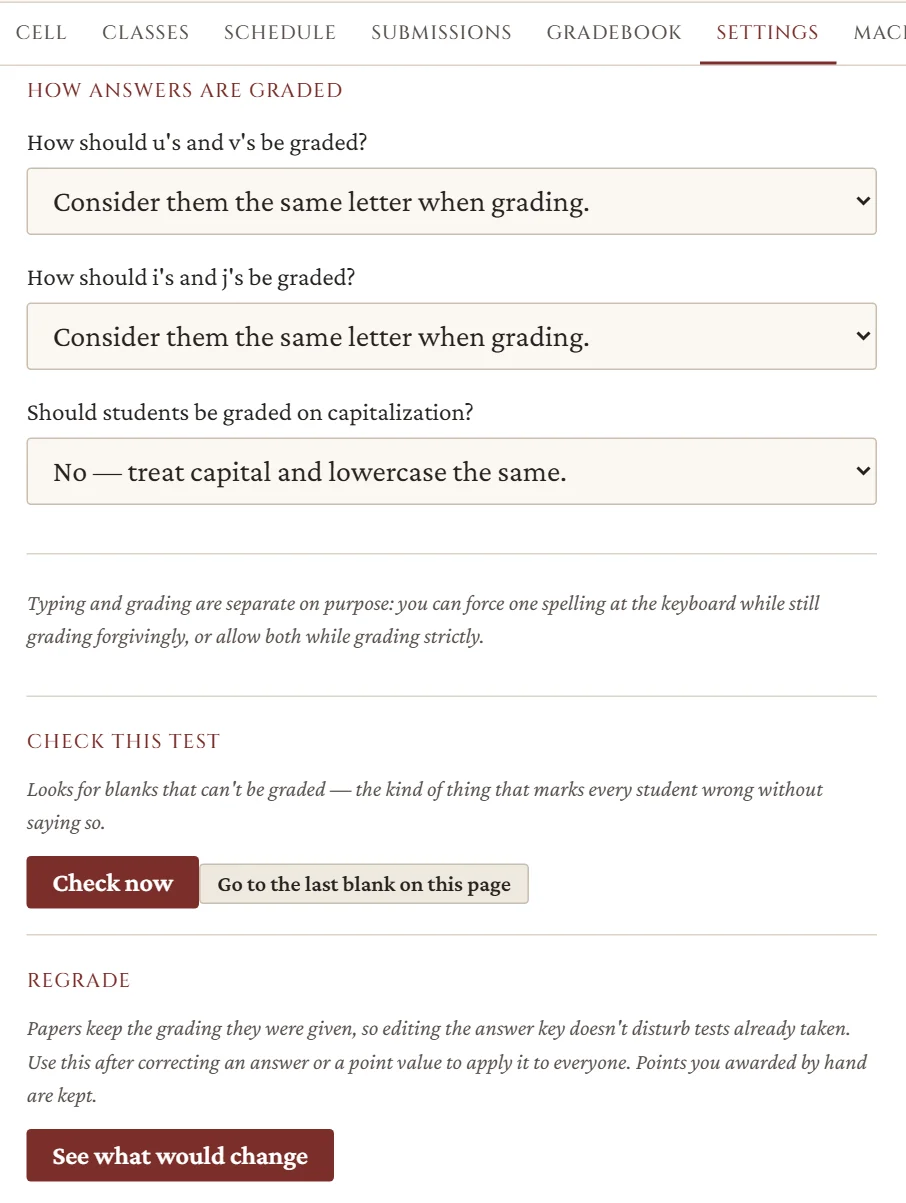
Test settings: how u and v, i and j, and capitals are graded, plus Check this test and Regrade buttons.

Rules

Settings that fit your department

Choose how u/v, i/j, and capitals are graded, test by test — then check the test, and regrade if you change your mind.

Made for class days

The small things that keep a test day calm

Autosave and resume

Answers save as students type. A dropped connection or a closed lid costs nothing.

Timed or untimed

Set a time limit and the test submits itself when it runs out.

Open on your schedule

Open a test to a class for exactly the window you choose.

Codes, not names

Print a sheet of codes for each class. Students sign in with the slip; the app never sees a name.

Fair section weights

Weight sections equally, or give every blank the same weight — your call, per test.

Just a browser

Nothing to install. It runs on the laptops and Chromebooks your students already have.

How it works

From a blank page to graded papers

  1. Build

    Lay out the pages, type the answers, and set how forgiving the grading should be.

  2. Give

    Open the test to a class and hand out the code slips. Students answer online, with macrons at their fingertips.

  3. Review

    Papers are graded the moment they’re submitted. Look them over, mark the rest by hand, and export.

Ready when you are

Teachers

Sign in to your builder, or create an account with an invite code.

Create an account

Students

Your teacher gave you a code. Enter it to find your class and begin.

Taking a test?

Start with your teacher’s code.

Teacher sign in

Sign in to build and grade tests.